logo by @sawaratsuki1004
React
v19.2
Learn
Reference
Community
Blog

On this page

  • Overview

  • Adding a ref to your component

  • Example: building a stopwatch

  • Differences between refs and state

  • When to use refs

  • Best practices for refs

  • Refs and the DOM

  • Recap

  • Challenges

    GET STARTED

  • Quick Start
    • Tutorial: Tic-Tac-Toe
    • Thinking in React
  • Installation
    • Creating a React App
    • Build a React App from Scratch
    • Add React to an Existing Project
  • Setup
    • Editor Setup
    • Using TypeScript
    • React Developer Tools
  • React Compiler
    • Introduction
    • Installation
    • Incremental Adoption
    • Debugging and Troubleshooting
  • LEARN REACT

  • Describing the UI
    • Your First Component
    • Importing and Exporting Components
    • Writing Markup with JSX
    • JavaScript in JSX with Curly Braces
    • Passing Props to a Component
    • Conditional Rendering
    • Rendering Lists
    • Keeping Components Pure
    • Your UI as a Tree
  • Adding Interactivity
    • Responding to Events
    • State: A Component's Memory
    • Render and Commit
    • State as a Snapshot
    • Queueing a Series of State Updates
    • Updating Objects in State
    • Updating Arrays in State
  • Managing State
    • Reacting to Input with State
    • Choosing the State Structure
    • Sharing State Between Components
    • Preserving and Resetting State
    • Extracting State Logic into a Reducer
    • Passing Data Deeply with Context
    • Scaling Up with Reducer and Context
  • Escape Hatches
    • Referencing Values with Refs
    • Manipulating the DOM with Refs
    • Synchronizing with Effects
    • You Might Not Need an Effect
    • Lifecycle of Reactive Effects
    • Separating Events from Effects
    • Removing Effect Dependencies
    • Reusing Logic with Custom Hooks
Learn React
Escape Hatches

Referencing Values with Refs

When you want a component to “remember” some information, but you don’t want that information to trigger new renders, you can use a ref.

You will learn

  • How to add a ref to your component
  • How to update a ref’s value
  • How refs are different from state
  • How to use refs safely

Adding a ref to your component

You can add a ref to your component by importing the useRef Hook from React:

import { useRef } from 'react';

Inside your component, call the useRef Hook and pass the initial value that you want to reference as the only argument. For example, here is a ref to the value 0:

const ref = useRef(0);

useRef returns an object like this:

{ current: 0 // The value you passed to useRef }
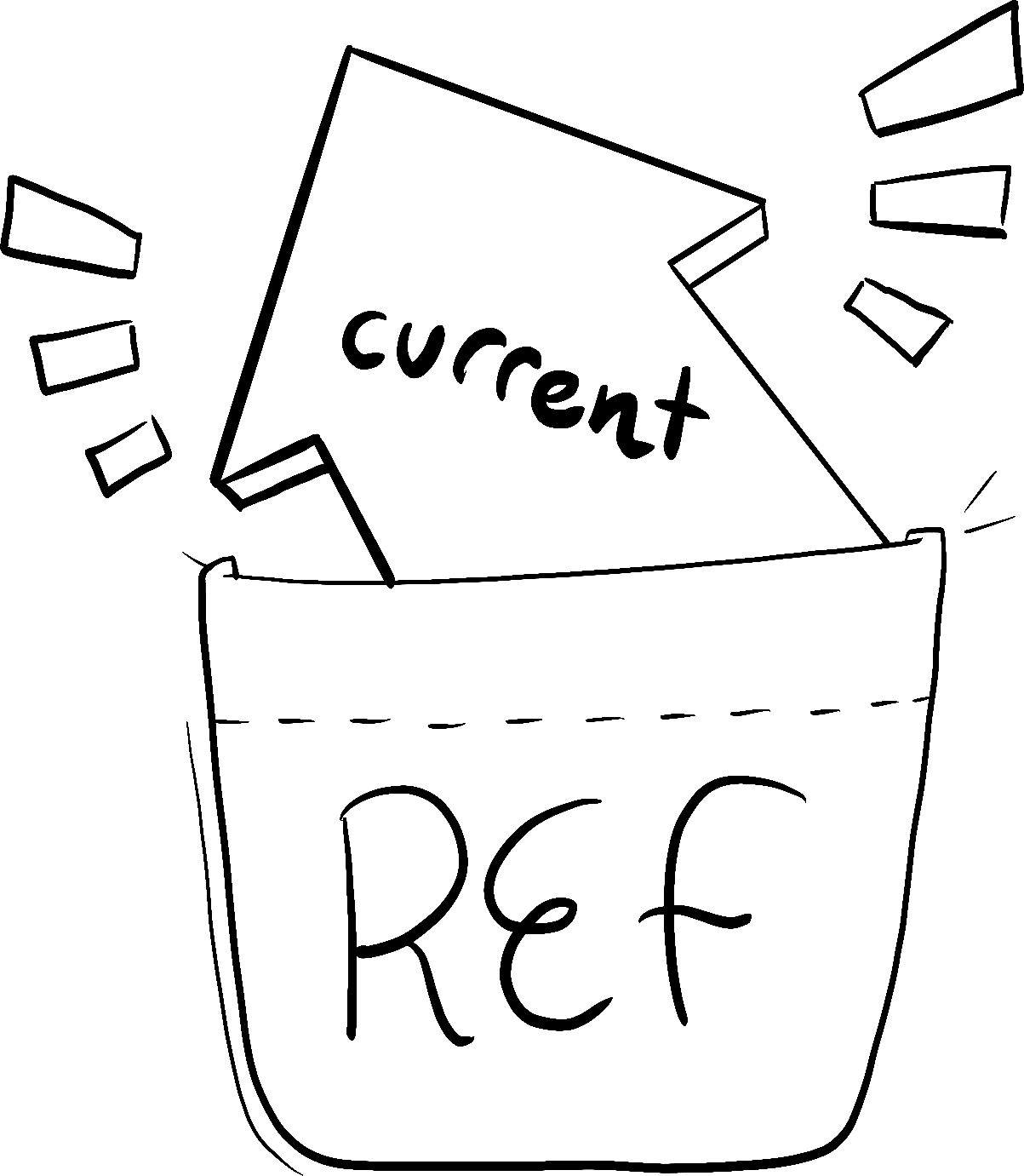
An arrow with 'current' written on it stuffed into a pocket with 'ref' written on it.

Illustrated by Rachel Lee Nabors

You can access the current value of that ref through the ref.current property. This value is intentionally mutable, meaning you can both read and write to it. It’s like a secret pocket of your component that React doesn’t track. (This is what makes it an “escape hatch” from React’s one-way data flow—more on that below!)

Here, a button will increment ref.current on every click:

import { useRef } from 'react'; export default function Counter() { let ref = useRef(0); function handleClick() { ref.current = ref.current + 1; alert('You clicked ' + ref.current + ' times!'); } return ( <button onClick={handleClick}> Click me! </button> ); }

The ref points to a number, but, like state, you could point to anything: a string, an object, or even a function. Unlike state, ref is a plain JavaScript object with the current property that you can read and modify.

Note that the component doesn’t re-render with every increment. Like state, refs are retained by React between re-renders. However, setting state re-renders a component. Changing a ref does not!

Example: building a stopwatch

You can combine refs and state in a single component. For example, let’s make a stopwatch that the user can start or stop by pressing a button. In order to display how much time has passed since the user pressed “Start”, you will need to keep track of when the Start button was pressed and what the current time is. This information is used for rendering, so you’ll keep it in state:

const [startTime, setStartTime] = useState(null); const [now, setNow] = useState(null);

When the user presses “Start”, you’ll use setInterval in order to update the time every 10 milliseconds:

import { useState } from 'react'; export default function Stopwatch() { const [startTime, setStartTime] = useState(null); const [now, setNow] = useState(null); function handleStart() { // Start counting. setStartTime(Date.now()); setNow(Date.now()); setInterval(() => { // Update the current time every 10ms. setNow(Date.now()); }, 10); } let secondsPassed = 0; if (startTime != null && now != null) { secondsPassed = (now - startTime) / 1000; } return ( <> <h1>Time passed: {secondsPassed.toFixed(3)}</h1> <button onClick={handleStart}> Start </button> </> ); }

When the “Stop” button is pressed, you need to cancel the existing interval so that it stops updating the now state variable. You can do this by calling clearInterval, but you need to give it the interval ID that was previously returned by the setInterval call when the user pressed Start. You need to keep the interval ID somewhere. Since the interval ID is not used for rendering, you can keep it in a ref:

import { useState, useRef } from 'react'; export default function Stopwatch() { const [startTime, setStartTime] = useState(null); const [now, setNow] = useState(null); const intervalRef = useRef(null); function handleStart() { setStartTime(Date.now()); setNow(Date.now()); clearInterval(intervalRef.current); intervalRef.current = setInterval(() => { setNow(Date.now()); }, 10); } function handleStop() { clearInterval(intervalRef.current); } let secondsPassed = 0; if (startTime != null && now != null) { secondsPassed = (now - startTime) / 1000; } return ( <> <h1>Time passed: {secondsPassed.toFixed(3)}</h1> <button onClick={handleStart}> Start </button> <button onClick={handleStop}> Stop </button> </> ); }

When a piece of information is used for rendering, keep it in state. When a piece of information is only needed by event handlers and changing it doesn’t require a re-render, using a ref may be more efficient.

Differences between refs and state

Perhaps you’re thinking refs seem less “strict” than state—you can mutate them instead of always having to use a state setting function, for instance. But in most cases, you’ll want to use state. Refs are an “escape hatch” you won’t need often. Here’s how state and refs compare:

refsstate
useRef(initialValue) returns { current: initialValue }useState(initialValue) returns the current value of a state variable and a state setter function ( [value, setValue])
Doesn’t trigger re-render when you change it.Triggers re-render when you change it.
Mutable—you can modify and update current’s value outside of the rendering process.”Immutable”—you must use the state setting function to modify state variables to queue a re-render.
You shouldn’t read (or write) the current value during rendering.You can read state at any time. However, each render has its own snapshot of state which does not change.

Here is a counter button that’s implemented with state:

import { useState } from 'react'; export default function Counter() { const [count, setCount] = useState(0); function handleClick() { setCount(count + 1); } return ( <button onClick={handleClick}> You clicked {count} times </button> ); }

Because the count value is displayed, it makes sense to use a state value for it. When the counter’s value is set with setCount(), React re-renders the component and the screen updates to reflect the new count.

If you tried to implement this with a ref, React would never re-render the component, so you’d never see the count change! See how clicking this button does not update its text:

import { useRef } from 'react'; export default function Counter() { let countRef = useRef(0); function handleClick() { // This doesn't re-render the component! countRef.current = countRef.current + 1; } return ( <button onClick={handleClick}> You clicked {countRef.current} times </button> ); }

This is why reading ref.current during render leads to unreliable code. If you need that, use state instead.

Deep Dive

How does useRef work inside?

Although both useState and useRef are provided by React, in principle useRef could be implemented on top of useState. You can imagine that inside of React, useRef is implemented like this:

// Inside of React function useRef(initialValue) { const [ref, unused] = useState({ current: initialValue }); return ref; }

During the first render, useRef returns { current: initialValue }. This object is stored by React, so during the next render the same object will be returned. Note how the state setter is unused in this example. It is unnecessary because useRef always needs to return the same object!

React provides a built-in version of useRef because it is common enough in practice. But you can think of it as a regular state variable without a setter. If you’re familiar with object-oriented programming, refs might remind you of instance fields—but instead of this.something you write somethingRef.current.

When to use refs

Typically, you will use a ref when your component needs to “step outside” React and communicate with external APIs—often a browser API that won’t impact the appearance of the component. Here are a few of these rare situations:

  • Storing timeout IDs
  • Storing and manipulating DOM elements, which we cover on the next page
  • Storing other objects that aren’t necessary to calculate the JSX.

If your component needs to store some value, but it doesn’t impact the rendering logic, choose refs.

Best practices for refs

Following these principles will make your components more predictable:

  • Treat refs as an escape hatch. Refs are useful when you work with external systems or browser APIs. If much of your application logic and data flow relies on refs, you might want to rethink your approach.
  • Don’t read or write ref.current during rendering. If some information is needed during rendering, use state instead. Since React doesn’t know when ref.current changes, even reading it while rendering makes your component’s behavior difficult to predict. (The only exception to this is code like if (!ref.current) ref.current = new Thing() which only sets the ref once during the first render.)

Limitations of React state don’t apply to refs. For example, state acts like a snapshot for every render and doesn’t update synchronously. But when you mutate the current value of a ref, it changes immediately:

ref.current = 5; console.log(ref.current); // 5

This is because the ref itself is a regular JavaScript object, and so it behaves like one.

You also don’t need to worry about avoiding mutation when you work with a ref. As long as the object you’re mutating isn’t used for rendering, React doesn’t care what you do with the ref or its contents.

Refs and the DOM

You can point a ref to any value. However, the most common use case for a ref is to access a DOM element. For example, this is handy if you want to focus an input programmatically. When you pass a ref to a ref attribute in JSX, like <div ref={myRef}>, React will put the corresponding DOM element into myRef.current. Once the element is removed from the DOM, React will update myRef.current to be null. You can read more about this in Manipulating the DOM with Refs.

Recap

  • Refs are an escape hatch to hold onto values that aren’t used for rendering. You won’t need them often.
  • A ref is a plain JavaScript object with a single property called current, which you can read or set.
  • You can ask React to give you a ref by calling the useRef Hook.
  • Like state, refs let you retain information between re-renders of a component.
  • Unlike state, setting the ref’s current value does not trigger a re-render.
  • Don’t read or write ref.current during rendering. This makes your component hard to predict.

Fix a broken chat input

Type a message and click “Send”. You will notice there is a three second delay before you see the “Sent!” alert. During this delay, you can see an “Undo” button. Click it. This “Undo” button is supposed to stop the “Sent!” message from appearing. It does this by calling clearTimeout for the timeout ID saved during handleSend. However, even after “Undo” is clicked, the “Sent!” message still appears. Find why it doesn’t work, and fix it.

Regular variables like let timeoutID don’t “survive” between re-renders because every render runs your component (and initializes its variables) from scratch. Should you keep the timeout ID somewhere else?

import { useState } from 'react'; export default function Chat() { const [text, setText] = useState(''); const [isSending, setIsSending] = useState(false); let timeoutID = null; function handleSend() { setIsSending(true); timeoutID = setTimeout(() => { alert('Sent!'); setIsSending(false); }, 3000); } function handleUndo() { setIsSending(false); clearTimeout(timeoutID); } return ( <> <input disabled={isSending} value={text} onChange={e => setText(e.target.value)} /> <button disabled={isSending} onClick={handleSend}> {isSending ? 'Sending...' : 'Send'} </button> {isSending && <button onClick={handleUndo}> Undo </button> } </> ); }

Whenever your component re-renders (such as when you set state), all local variables get initialized from scratch. This is why you can’t save the timeout ID in a local variable like timeoutID and then expect another event handler to “see” it in the future. Instead, store it in a ref, which React will preserve between renders.

import { useState, useRef } from 'react'; export default function Chat() { const [text, setText] = useState(''); const [isSending, setIsSending] = useState(false); const timeoutRef = useRef(null); function handleSend() { setIsSending(true); timeoutRef.current = setTimeout(() => { alert('Sent!'); setIsSending(false); }, 3000); } function handleUndo() { setIsSending(false); clearTimeout(timeoutRef.current); } return ( <> <input disabled={isSending} value={text} onChange={e => setText(e.target.value)} /> <button disabled={isSending} onClick={handleSend}> {isSending ? 'Sending...' : 'Send'} </button> {isSending && <button onClick={handleUndo}> Undo </button> } </> ); }

Fix a component failing to re-render

This button is supposed to toggle between showing “On” and “Off”. However, it always shows “Off”. What is wrong with this code? Fix it.

import { useRef } from 'react'; export default function Toggle() { const isOnRef = useRef(false); return ( <button onClick={() => { isOnRef.current = !isOnRef.current; }}> {isOnRef.current ? 'On' : 'Off'} </button> ); }

In this example, the current value of a ref is used to calculate the rendering output: {isOnRef.current ? 'On' : 'Off'}. This is a sign that this information should not be in a ref, and should have instead been put in state. To fix it, remove the ref and use state instead:

import { useState } from 'react'; export default function Toggle() { const [isOn, setIsOn] = useState(false); return ( <button onClick={() => { setIsOn(!isOn); }}> {isOn ? 'On' : 'Off'} </button> ); }

Fix debouncing

In this example, all button click handlers are “debounced”. To see what this means, press one of the buttons. Notice how the message appears a second later. If you press the button while waiting for the message, the timer will reset. So if you keep clicking the same button fast many times, the message won’t appear until a second after you stop clicking. Debouncing lets you delay some action until the user “stops doing things”.

This example works, but not quite as intended. The buttons are not independent. To see the problem, click one of the buttons, and then immediately click another button. You’d expect that after a delay, you would see both button’s messages. But only the last button’s message shows up. The first button’s message gets lost.

Why are the buttons interfering with each other? Find and fix the issue.

The last timeout ID variable is shared between all DebouncedButton components. This is why clicking one button resets another button’s timeout. Can you store a separate timeout ID for each button?

let timeoutID; function DebouncedButton({ onClick, children }) { return ( <button onClick={() => { clearTimeout(timeoutID); timeoutID = setTimeout(() => { onClick(); }, 1000); }}> {children} </button> ); } export default function Dashboard() { return ( <> <DebouncedButton onClick={() => alert('Spaceship launched!')} > Launch the spaceship </DebouncedButton> <DebouncedButton onClick={() => alert('Soup boiled!')} > Boil the soup </DebouncedButton> <DebouncedButton onClick={() => alert('Lullaby sung!')} > Sing a lullaby </DebouncedButton> </> ) }

A variable like timeoutID is shared between all components. This is why clicking on the second button resets the first button’s pending timeout. To fix this, you can keep timeout in a ref. Each button will get its own ref, so they won’t conflict with each other. Notice how clicking two buttons fast will show both messages.

import { useRef } from 'react'; function DebouncedButton({ onClick, children }) { const timeoutRef = useRef(null); return ( <button onClick={() => { clearTimeout(timeoutRef.current); timeoutRef.current = setTimeout(() => { onClick(); }, 1000); }}> {children} </button> ); } export default function Dashboard() { return ( <> <DebouncedButton onClick={() => alert('Spaceship launched!')} > Launch the spaceship </DebouncedButton> <DebouncedButton onClick={() => alert('Soup boiled!')} > Boil the soup </DebouncedButton> <DebouncedButton onClick={() => alert('Lullaby sung!')} > Sing a lullaby </DebouncedButton> </> ) }

Read the latest state

In this example, after you press “Send”, there is a small delay before the message is shown. Type “hello”, press Send, and then quickly edit the input again. Despite your edits, the alert would still show “hello” (which was the value of state at the time the button was clicked).

Usually, this behavior is what you want in an app. However, there may be occasional cases where you want some asynchronous code to read the latest version of some state. Can you think of a way to make the alert show the current input text rather than what it was at the time of the click?

import { useState, useRef } from 'react'; export default function Chat() { const [text, setText] = useState(''); function handleSend() { setTimeout(() => { alert('Sending: ' + text); }, 3000); } return ( <> <input value={text} onChange={e => setText(e.target.value)} /> <button onClick={handleSend}> Send </button> </> ); }

State works like a snapshot, so you can’t read the latest state from an asynchronous operation like a timeout. However, you can keep the latest input text in a ref. A ref is mutable, so you can read the current property at any time. Since the current text is also used for rendering, in this example, you will need both a state variable (for rendering), and a ref (to read it in the timeout). You will need to update the current ref value manually.

import { useState, useRef } from 'react'; export default function Chat() { const [text, setText] = useState(''); const textRef = useRef(text); function handleChange(e) { setText(e.target.value); textRef.current = e.target.value; } function handleSend() { setTimeout(() => { alert('Sending: ' + textRef.current); }, 3000); } return ( <> <input value={text} onChange={handleChange} /> <button onClick={handleSend}> Send </button> </> ); }
PreviousEscape Hatches
NextManipulating the DOM with Refs

Copyright © Meta Platforms, Inc
no uwu plz
uwu?
Logo by@sawaratsuki1004
Learn React
Quick Start
Installation
Describing the UI
Adding Interactivity
Managing State
Escape Hatches
API Reference
React APIs
React DOM APIs
Community
Code of Conduct
Meet the Team
Docs Contributors
Acknowledgements
More
Blog
React Native
Privacy
Terms
import { useRef } from 'react';
const ref = useRef(0);
{
current: 0 // The value you passed to useRef
}
Fork
import { useRef } from 'react';

export default function Counter() {
  let ref = useRef(0);

  function handleClick() {
    ref.current = ref.current + 1;
    alert('You clicked ' + ref.current + ' times!');
  }

  return (
    <button onClick={handleClick}>
      Click me!
    </button>
  );
}

const [startTime, setStartTime] = useState(null);
const [now, setNow] = useState(null);
Fork
import { useState } from 'react';

export default function Stopwatch() {
  const [startTime, setStartTime] = useState(null);
  const [now, setNow] = useState(null);

  function handleStart() {
    // Start counting.
    setStartTime(Date.now());
    setNow(Date.now());

    setInterval(() => {
      // Update the current time every 10ms.
      setNow(Date.now());
    }, 10);
  }

  let secondsPassed = 0;
  if (startTime != null && now != null) {
    secondsPassed = (now - startTime) / 1000;
  }

  return (
    <>
      <h1>Time passed: {secondsPassed.toFixed(3)}</h1>
      <button onClick={handleStart}>
        Start
      </button>
    </>
  );
}

Fork
import { useState, useRef } from 'react';

export default function Stopwatch() {
  const [startTime, setStartTime] = useState(null);
  const [now, setNow] = useState(null);
  const intervalRef = useRef(null);

  function handleStart() {
    setStartTime(Date.now());
    setNow(Date.now());

    clearInterval(intervalRef.current);
    intervalRef.current = setInterval(() => {
      setNow(Date.now());
    }, 10);
  }

  function handleStop() {
    clearInterval(intervalRef.current);
  }

  let secondsPassed = 0;
  if (startTime != null && now != null) {
    secondsPassed = (now - startTime) / 1000;
  }

  return (
    <>
      <h1>Time passed: {secondsPassed.toFixed(3)}</h1>
      <button onClick={handleStart}>
        Start
      </button>
      <button onClick={handleStop}>
        Stop
      </button>
    </>
  );
}

Fork
import { useState } from 'react';

export default function Counter() {
  const [count, setCount] = useState(0);

  function handleClick() {
    setCount(count + 1);
  }

  return (
    <button onClick={handleClick}>
      You clicked {count} times
    </button>
  );
}

Fork
import { useRef } from 'react';

export default function Counter() {
  let countRef = useRef(0);

  function handleClick() {
    // This doesn't re-render the component!
    countRef.current = countRef.current + 1;
  }

  return (
    <button onClick={handleClick}>
      You clicked {countRef.current} times
    </button>
  );
}

// Inside of React
function useRef(initialValue) {
const [ref, unused] = useState({ current: initialValue });
return ref;
}
ref.current = 5;
console.log(ref.current); // 5
Fork
import { useState } from 'react';

export default function Chat() {
  const [text, setText] = useState('');
  const [isSending, setIsSending] = useState(false);
  let timeoutID = null;

  function handleSend() {
    setIsSending(true);
    timeoutID = setTimeout(() => {
      alert('Sent!');
      setIsSending(false);
    }, 3000);
  }

  function handleUndo() {
    setIsSending(false);
    clearTimeout(timeoutID);
  }

  return (
    <>
      <input
        disabled={isSending}
        value={text}
        onChange={e => setText(e.target.value)}
      />
      <button
        disabled={isSending}
        onClick={handleSend}>
        {isSending ? 'Sending...' : 'Send'}
      </button>
      {isSending &&
        <button onClick={handleUndo}>
          Undo
        </button>
      }
    </>
  );
}

Fork
import { useState, useRef } from 'react';

export default function Chat() {
  const [text, setText] = useState('');
  const [isSending, setIsSending] = useState(false);
  const timeoutRef = useRef(null);

  function handleSend() {
    setIsSending(true);
    timeoutRef.current = setTimeout(() => {
      alert('Sent!');
      setIsSending(false);
    }, 3000);
  }

  function handleUndo() {
    setIsSending(false);
    clearTimeout(timeoutRef.current);
  }

  return (
    <>
      <input
        disabled={isSending}
        value={text}
        onChange={e => setText(e.target.value)}
      />
      <button
        disabled={isSending}
        onClick={handleSend}>
        {isSending ? 'Sending...' : 'Send'}
      </button>
      {isSending &&
        <button onClick={handleUndo}>
          Undo
        </button>
      }
    </>
  );
}

Fork
import { useRef } from 'react';

export default function Toggle() {
  const isOnRef = useRef(false);

  return (
    <button onClick={() => {
      isOnRef.current = !isOnRef.current;
    }}>
      {isOnRef.current ? 'On' : 'Off'}
    </button>
  );
}

Fork
import { useState } from 'react';

export default function Toggle() {
  const [isOn, setIsOn] = useState(false);

  return (
    <button onClick={() => {
      setIsOn(!isOn);
    }}>
      {isOn ? 'On' : 'Off'}
    </button>
  );
}

Fork
let timeoutID;

function DebouncedButton({ onClick, children }) {
  return (
    <button onClick={() => {
      clearTimeout(timeoutID);
      timeoutID = setTimeout(() => {
        onClick();
      }, 1000);
    }}>
      {children}
    </button>
  );
}

export default function Dashboard() {
  return (
    <>
      <DebouncedButton
        onClick={() => alert('Spaceship launched!')}
      >
        Launch the spaceship
      </DebouncedButton>
      <DebouncedButton
        onClick={() => alert('Soup boiled!')}
      >
        Boil the soup
      </DebouncedButton>
      <DebouncedButton
        onClick={() => alert('Lullaby sung!')}
      >
        Sing a lullaby
      </DebouncedButton>
    </>
  )
}

Fork
import { useRef } from 'react';

function DebouncedButton({ onClick, children }) {
  const timeoutRef = useRef(null);
  return (
    <button onClick={() => {
      clearTimeout(timeoutRef.current);
      timeoutRef.current = setTimeout(() => {
        onClick();
      }, 1000);
    }}>
      {children}
    </button>
  );
}

export default function Dashboard() {
  return (
    <>
      <DebouncedButton
        onClick={() => alert('Spaceship launched!')}
      >
        Launch the spaceship
      </DebouncedButton>
      <DebouncedButton
        onClick={() => alert('Soup boiled!')}
      >
        Boil the soup
      </DebouncedButton>
      <DebouncedButton
        onClick={() => alert('Lullaby sung!')}
      >
        Sing a lullaby
      </DebouncedButton>
    </>
  )
}

Fork
import { useState, useRef } from 'react';

export default function Chat() {
  const [text, setText] = useState('');

  function handleSend() {
    setTimeout(() => {
      alert('Sending: ' + text);
    }, 3000);
  }

  return (
    <>
      <input
        value={text}
        onChange={e => setText(e.target.value)}
      />
      <button
        onClick={handleSend}>
        Send
      </button>
    </>
  );
}

Fork
import { useState, useRef } from 'react';

export default function Chat() {
  const [text, setText] = useState('');
  const textRef = useRef(text);

  function handleChange(e) {
    setText(e.target.value);
    textRef.current = e.target.value;
  }

  function handleSend() {
    setTimeout(() => {
      alert('Sending: ' + textRef.current);
    }, 3000);
  }

  return (
    <>
      <input
        value={text}
        onChange={handleChange}
      />
      <button
        onClick={handleSend}>
        Send
      </button>
    </>
  );
}